Push and it ships
Deploy from GitHub or any container image. Every pull request gets its own preview.
- Functions
- Templates
- Your own domain
- Object storage

One cloud to manage them all.
Your own cloud on your own servers, from VPS to bare metal. Ship apps and databases, scale across machines and connect your other clouds, all in one place, with no lock-in.
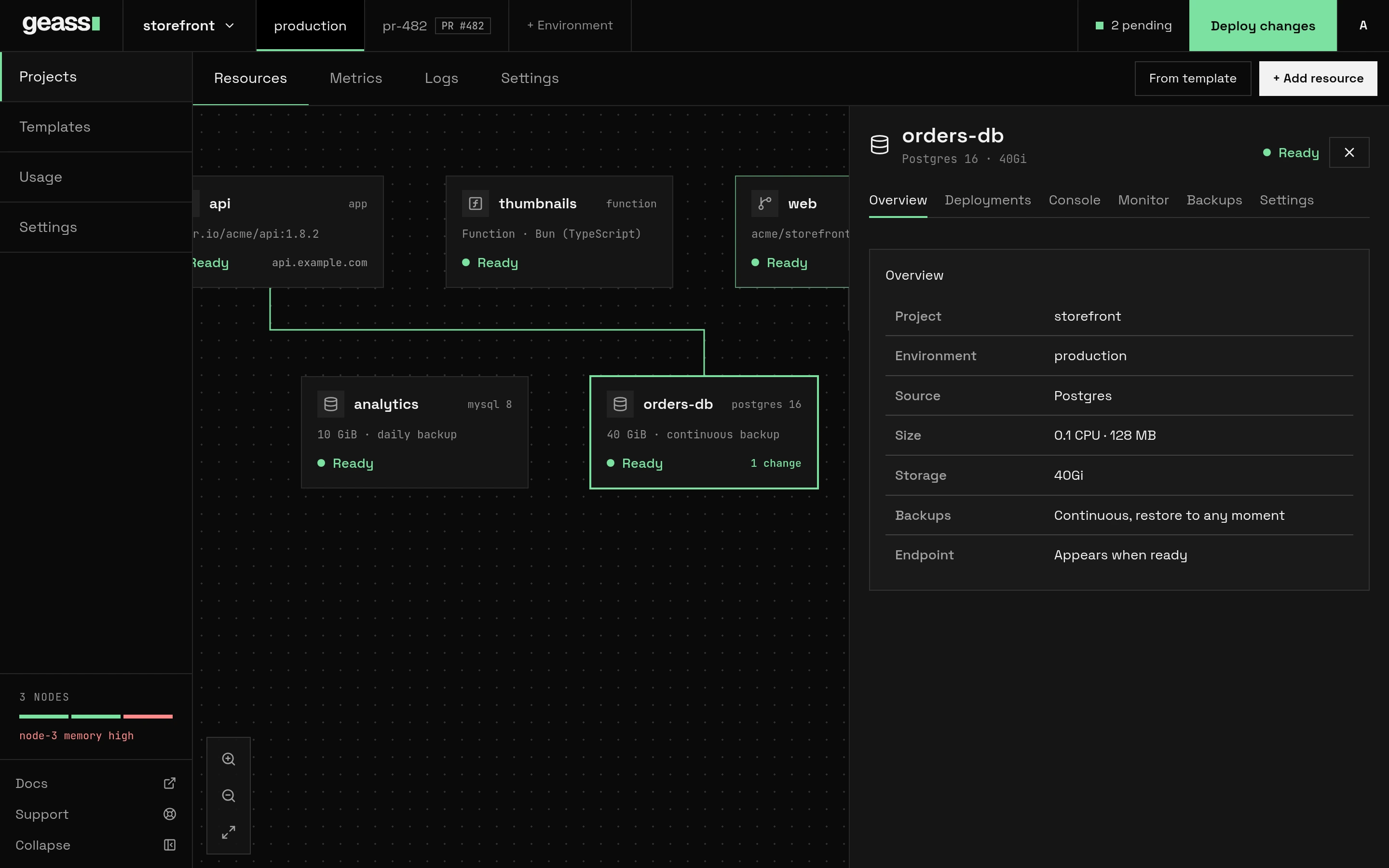
Your servers and the services you already use, managed in one place, by you or by your agents.
Servers at more than one provider in a single cluster is experimental.
Docs: Add servers · Cloud connectors
Three steps from a fresh server to a running cloud. It all runs on your own hardware, so your data stays yours.
Run one command on a fresh Linux server. Geass sets up the cluster.
Join more servers, then plug in your code and your cloud accounts.
Push code or pick a template. Geass runs it, backs it up and keeps it running.
$curl -sfL https://github.com/degoke/geass/releases/latest/download/install.sh | sudo sh
2 GB RAM · amd64 or arm64 · root access · read the install guide
Everything you would expect from a cloud platform, running on your own VPS and bare-metal machines.
Deploy from GitHub or any container image. Every pull request gets its own preview.
Postgres, MySQL, Redis and SQLite on your own servers, with backups and restore built in.
Join another VPS or bare-metal machine and your work spreads across it.
Edits wait as drafts. Review exactly what changes, then ship it all at once.
Live logs, metrics, a shell and a SQL console, right in the browser.
Self-hosted on your own hardware, with no telemetry and no lock-in.
A command line, an MCP server and a versioned API. Give an agent a token and it can ship, debug and fix your cloud, inside the limits you set.
Deploy a service and wait until it is ready, or roll back a bad release.
Read status, metrics and deployment history, and see what the last deploy left behind.
Change variables and secrets, scale a service, or let it sleep when idle.
Give a function a schedule, and call it on demand to check it.
See nodes, regions and compliance tags, and how to reach a database.
Create a service from an image or a GitHub repository, as a draft you review.
$ geass status thumbnails
NAME        STATE   READY  BUILD  URL  MESSAGE
thumbnails  failed  0/1    -      -    CrashLoopBackOff

$ geass env set thumbnails MAX_IMAGE_MB=8
$ geass deploy thumbnails --wait
thumbnails: Deploying thumbnails
thumbnails: ready at https://thumbs.example.com
youWhy does thumbnails keep crashing?
agentapp_status(app: "thumbnails")
agentapp_metrics(name: "thumbnails", window: "1h")
agentset_variable(app: "thumbnails", key: "MAX_IMAGE_MB", value: "8")pending
agentIts memory sits at the limit and it restarts whenever someone uploads a large image. I capped uploads at 8 MB as a pending change. Want me to deploy it?
youYes, go ahead.
agentdeploy_app(app: "thumbnails", wait: true)ready
$ export GEASS_TOKEN=gsp_…
$ curl -H "Authorization: Bearer $GEASS_TOKEN" \
"https://geass.example.com/api/v1/apps?project=storefront"

# Every route is described at /api/v1/openapi.json,
# and signed webhooks tell you when a deploy changes.
One token, the same limits, whichever way an agent connects. CLI docs · MCP docs
A project token reaches only that project, so an agent touches only what you give it.
A read-only token can inspect everything it is allowed to see, logs included, and change nothing.
Changes wait as pending until you deploy, and a delete needs the resource's name typed back.
Source-available under the Elastic License 2.0. Read the license.